 SurgePix Docs
AI PPT Prompts: 50+ Copy-Paste Prompts for Better Slides
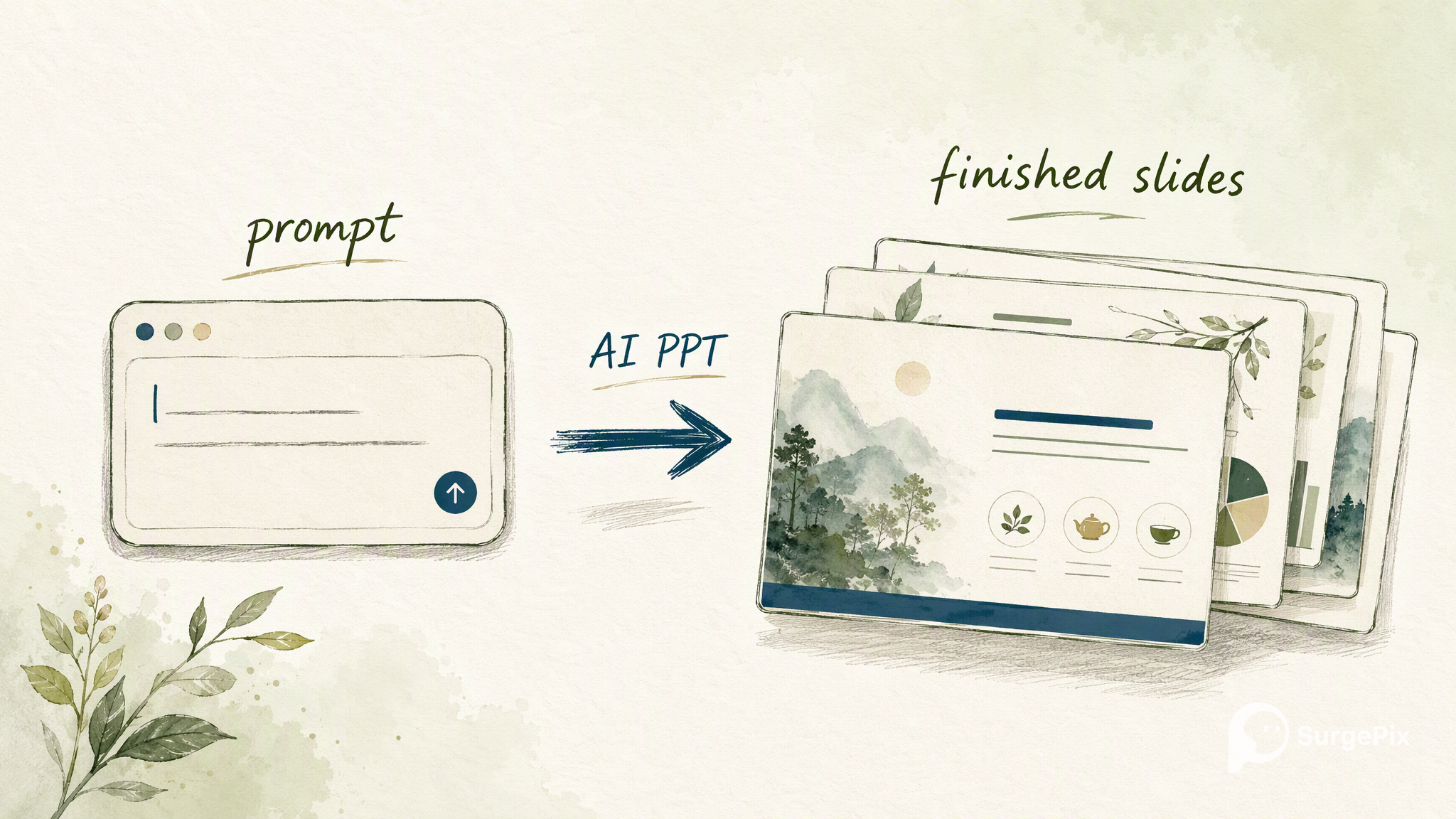
A good AI PPT prompt turns a one-line idea into a finished slide deck in seconds. The trick isn't a longer prompt — it's a specific one: tell the AI the deck type, the audience, how many slides, and one message per slide. Below are 50+ copy-paste AI presentation prompts for the decks people actually build — pitches, reviews, sales, strategy, training and more. Copy any one, paste it into SurgePix, generate the full deck, then edit every layer until it's right (not a one-shot image you're stuck with).
How to write a PPT prompt that works (5-part formula)
- Deck type + audience — "a seed-stage pitch deck for investors," "a QBR for the exec team."
- Topic / company — one line on what it's about.
- Slide count + sections — name the slides so the AI structures it ("10 slides: problem, solution, market…").
- One message per slide, minimal text — say it explicitly; it's what separates a usable deck from a wall of bullets.
- Style + where visuals go — "clean modern style, leave space for a chart on the traction slide."
Keep the topic yours and reuse the structure. Every prompt below already follows this formula.
Pitch & investor decks
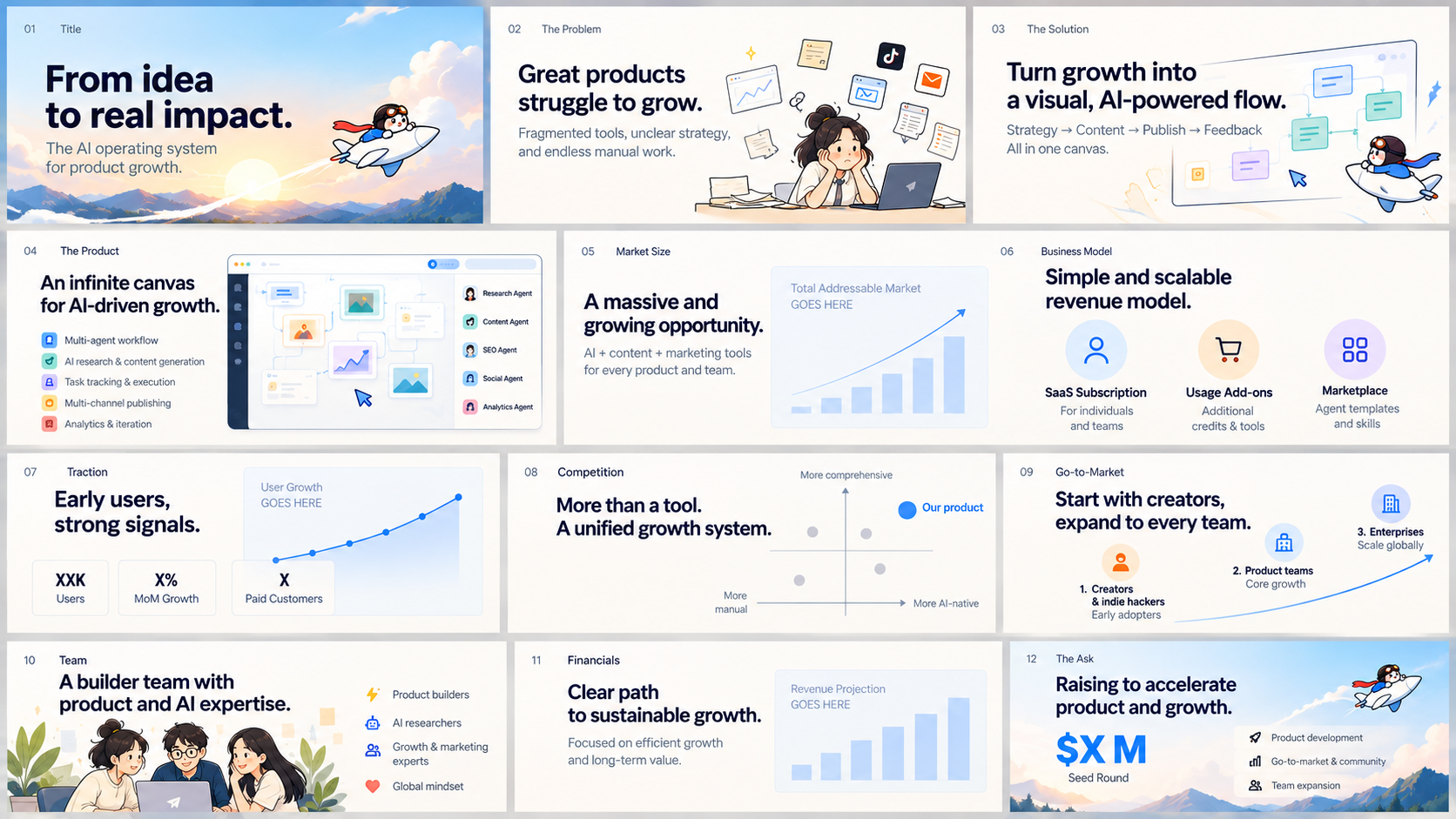
- Create a 12-slide seed-stage pitch deck for [company], a [one-line description]. Slides: problem, solution, product, market size, business model, traction, competition, go-to-market, team, financials, the ask. One key message per slide, minimal text, leave space for a chart on market size and traction.
- Build a 10-slide Series A deck for [company]. Emphasize traction and unit economics; include a metrics slide with room for a revenue chart and a cohort chart. Confident, data-forward style.
- Make a 3-minute demo-day pitch deck (8 slides) for [company]: hook, problem, solution, live-demo placeholder, traction, market, team, the ask. Big type, one idea per slide.
- Create an investor one-pager as a single slide for [company]: problem, solution, traction, market, team, ask — organized in a clean grid.
- Turn this idea into a pitch narrative deck: [paste your idea]. 10 slides that tell a story from problem to vision, minimal text, space for one hero visual per section.
Quarterly business reviews & internal decks
- Create a quarterly business review (QBR) deck for [team], 12 slides: TL;DR, goals vs actuals, key wins, misses & learnings, pipeline, metrics dashboard, risks, next-quarter priorities, asks. Executive style, one message per slide, leave chart space on goals-vs-actuals and metrics.
- Build a monthly all-hands update, 8 slides: highlights, metrics, shipped, in progress, hiring, shout-outs, focus for next month. Friendly, clean.
- Make a project kickoff deck, 9 slides: objective, scope, success metrics, timeline, roles (RACI), risks, dependencies, next steps.
- Create a strategy offsite deck, 10 slides: where we are, what changed, 3 big bets, trade-offs, resourcing, roadmap, decisions needed.
- Build a board update deck, 12 slides: agenda, financial summary, KPI dashboard, growth, product, org, risks, asks — space for charts on financials and KPIs.
Sales, product & demo decks
- Create a sales deck for [product], 10 slides: the buyer's problem, cost of inaction, our approach, product in action, proof/results, ROI, pricing overview, why now, next step. Benefit-led, minimal text.
- Build a product overview deck, 8 slides: what it is, who it's for, top 3 use cases, how it works, key features, results, pricing, CTA.
- Make a customer case-study deck, 6 slides: customer intro, challenge, solution, results (with a metrics slide), quote, what's next.
- Create a partner/reseller pitch, 9 slides: market opportunity, product, differentiation, margins, enablement, support, joint plan.
- Build a feature-launch internal deck, 7 slides: what shipped, why it matters, how it works, GTM plan, metrics to watch, FAQ.
Consulting & strategy (McKinsey-style)
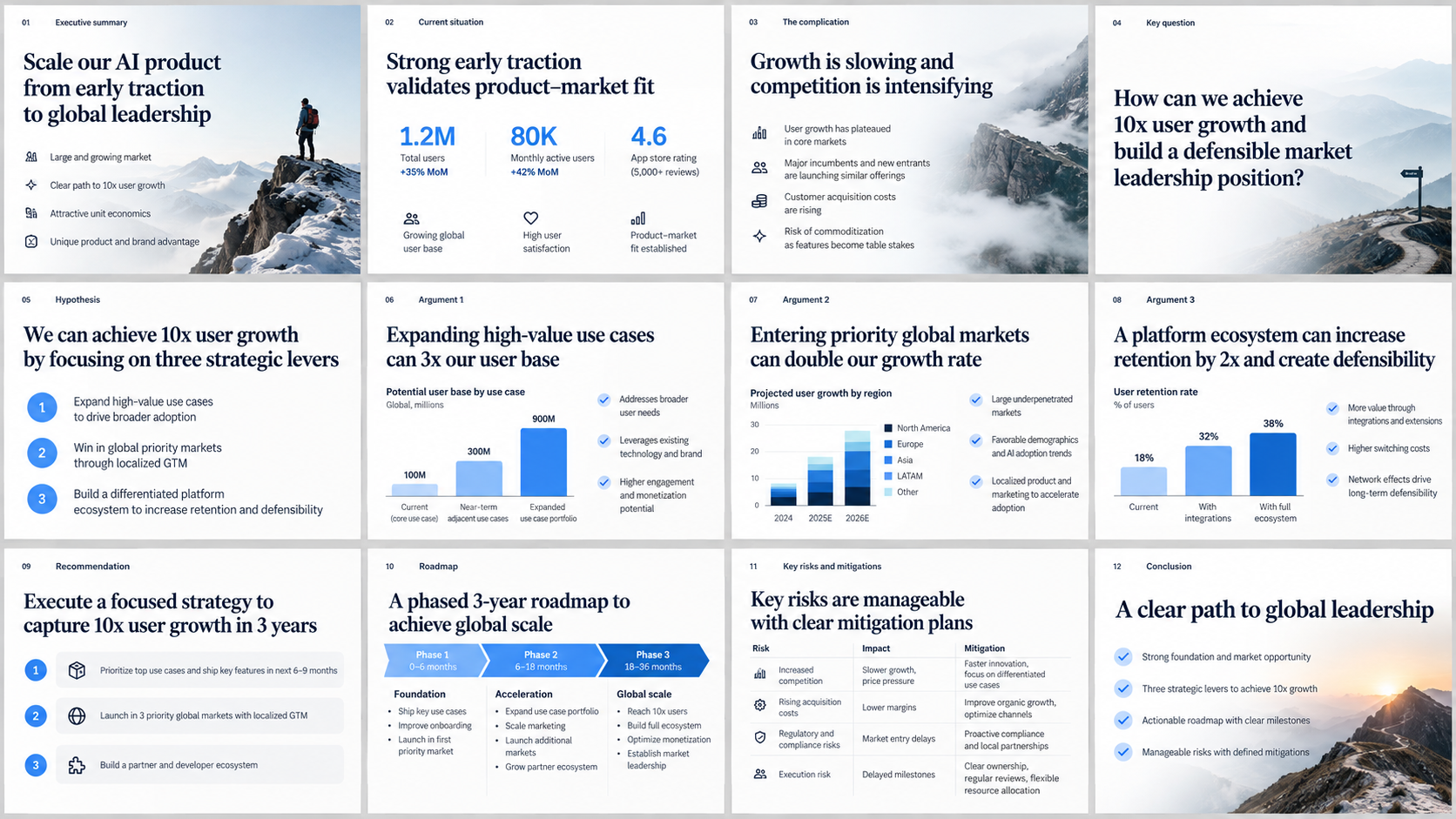
- Create a McKinsey-style strategy deck for [topic], 12 slides: executive summary, situation, complication, key question, hypothesis, 3 supporting arguments (one per slide) each with a data point, recommendation, roadmap, risks. Action-titled headlines (each title states the takeaway), lots of white space, one chart per argument.
- Build a consulting-style problem-solving deck using a pyramid structure: governing thought on slide 1, then MECE supporting points. Clean, minimal, action titles.
- Make a market-entry analysis deck, 10 slides: market size (TAM/SAM/SOM), competitive landscape, entry options, evaluation matrix, recommendation, plan.
- Create a diagnostic deck for [business problem]: root-cause tree, evidence, options with a weighted scoring matrix, recommendation, next steps. Consulting style, action titles.
- Build an operating-model / org redesign deck, 9 slides: current state, pain points, design principles, target model, transition plan, risks.
Training, education & workshops
- Create a training course deck on [topic], 12 slides: learning objectives, agenda, 4 concept slides (one idea each), a worked example, a hands-on exercise, key takeaways, resources. Clear, friendly, room for a diagram per concept.
- Build a workshop facilitation deck, 10 slides: intro, ground rules, warm-up, 3 activity slides with instructions and timers, debrief, next steps.
- Make a lecture deck for [subject] for [audience level], 12 slides, one concept per slide with a simple visual and a check-your-understanding question every few slides.
- Create an onboarding deck for new hires, 10 slides: welcome, mission, how we work, tools, team, first-week plan, who to ask, resources.
- Build a "lunch & learn" deck on [topic], 8 slides, casual tone, one big idea per slide, a demo placeholder, and a takeaways slide.
Marketing, launch & webinar
- Create a product launch deck, 10 slides: the shift/why now, the problem, the launch, key features, demo, social proof, pricing, availability, CTA. Bold, benefit-led.
- Build a webinar deck on [topic], 14 slides: hook, agenda, 3 teaching sections (one idea per slide), a case study, Q&A prompt, offer, next steps.
- Make a brand/marketing strategy deck, 11 slides: audience, positioning, messaging pillars, channels, campaign calendar, budget, KPIs.
- Create a conference talk deck, 15 slides: strong opening, one idea per slide, minimal text, big visuals, a memorable closing line.
- Build a social-media content strategy deck, 9 slides: goals, audience, pillars, formats, calendar, examples, metrics.
Report, data & one-pager slides
- Create a data report deck, 10 slides: executive summary, methodology, 5 key findings (one chart per slide with an action-title takeaway), implications, recommendations.
- Build a KPI dashboard slide: a clean grid of 6 metric tiles with room for a trend sparkline in each, plus a one-line insight under the title.
- Make an infographic-style slide that explains [process] as a 5-step horizontal flow with icons and short labels.
- Create a comparison slide: a clean table comparing [A] vs [B] across 6 criteria, with the winner highlighted per row.
- Build a timeline/roadmap slide showing [initiative] across 4 quarters, with milestones and owners.
- Create a single executive one-pager summarizing [topic]: goal, status, key metrics, risks, next steps — organized in a tidy grid on one slide.
Style & design modifiers (stack on any prompt above)
Append one of these to any prompt to control the look:
- …in a clean, minimal style — lots of white space, one accent color, sans-serif.
- …in a McKinsey/consulting style — action-title headlines, restrained palette, one chart per slide.
- …in a bold, modern startup style — big type, high contrast, confident.
- …in a corporate style using our brand colors [hex] and [hex].
- …in a dark, premium look for a keynote on a big screen.
- …in a friendly, approachable style for a non-technical audience.
- …make each slide one message with ≤15 words of body text.
- …use consistent icons and leave a clearly marked space for one visual per slide.
Generate, then edit every layer
Most AI tools stop at generation: if a slide isn't right, you re-roll and hope. In SurgePix you generate the deck, then edit every layer — reword a headline, swap a chart, restyle one slide, keep your brand consistent across all of them — until it's production-ready. Prompt to start; editing to finish.
→ Try any prompt above in SurgePix (free daily credits).
FAQ
- What is an AI PPT prompt?
- A written instruction that tells an AI what deck to build — its type, audience, slides and style — so it generates a full presentation instead of one slide.
- How many slides should a deck have?
- Pitch: 10–12.
- QBR/board: 12.
- Talk/webinar: as many as ideas, one per slide. State the count in your prompt so structure is predictable.
- Can I edit the AI-generated slides?
- Yes — in SurgePix you can edit every layer (text, images, charts, layout, style) after generating, and keep the look consistent across the deck.
- Which style should I choose?
- Match the audience: minimal for execs, McKinsey-style for strategy, bold for launches.
- Use the style modifiers above to switch in one line.
- Do these prompts work in other languages?
- Yes — write the same prompt in your language;
- SurgePix supports multi-language decks.