 SurgePix Docs
What's new
Product updates, new features, and improvements to SurgePix — the AI Design Workspace where you Generate Anything and Edit Everything.
September 29, 2026
New
- Lock logo & fixed copy position skill — Keep your logo and key copy pinned in place while the rest of the design is generated or changed.
- Batch resize skill — Crop and resize a design into multiple sizes in one go.
- Upgrade notifications — Get notified when your plan is upgraded.
Improved
- Clearer credit handling — If you run short of credits, the result is locked until you top up; the "Reset" action is now Top up.
- Refreshed in-app message display.
September 16, 2026
New
- Group canvas elements — Select multiple elements and group them to move and edit them together.
- New brand skills — Add a full-image watermark, overlay your logo, generate images with brand elements in fixed positions, and export a channel crop pack sized for different platforms.
- Language switcher on the website — Change the site language directly from the SurgePix homepage.
Improved
- Better display of the AI assistant input box.
September 9, 2026
New
- Illustration skill pages — Dedicated pages for the Minimalist Illustration and Cinematic Illustration skills.
- Redemption codes — Redeem codes for credits and perks.
- Pay-per-use models — Some models can now be billed per generation.
Improved
- Smoother activity prompts, share pages, and image loading.
- Very large images are now checked and compressed automatically on upload.
September 2, 2026
New
- More canvas shapes — Draw straight lines, dashed lines, and arrows on the canvas.
- Image editing skill page — A dedicated page for the image editing skill.
- Two new illustration skills — Minimalist poetic editorial illustration and surreal cinematic illustration.
Improved
- Refined interaction when working with shapes on the canvas.
- Credits and message notifications now live together in one place.
August 25, 2026
New
- New skills: Translate PPT, Brand Logo, and Storyboard — Translate a whole deck while keeping its layout, generate a brand logo, and turn a script into a shot-by-shot storyboard, each with its own skill page.
- General image editing skill — Edit images through a single, general-purpose skill.
Improved
- More accurate colors when using Extract Text.
- Refreshed website styling.
August 19, 2026
New
- Image Repaint tool — Repaint images from the Tools section.
- Xiaohongshu (RED) skill page — A dedicated skill page for creating Xiaohongshu-style content.
- Choose a tool in chat — Pick a specific tool for the AI to use in a conversation.
- New user guide — A step-by-step walkthrough to help first-time users get started.
Improved
- GIF uploads are now handled more reliably.
- Stopping a generation in chat now responds faster.
August 12, 2026
New
- Brand Kit — In your workspace, create a project two ways: Create Blank Project (now opens a dialog where you set a custom size or pick a recommended preset) or Import (create straight from an uploaded image or file).
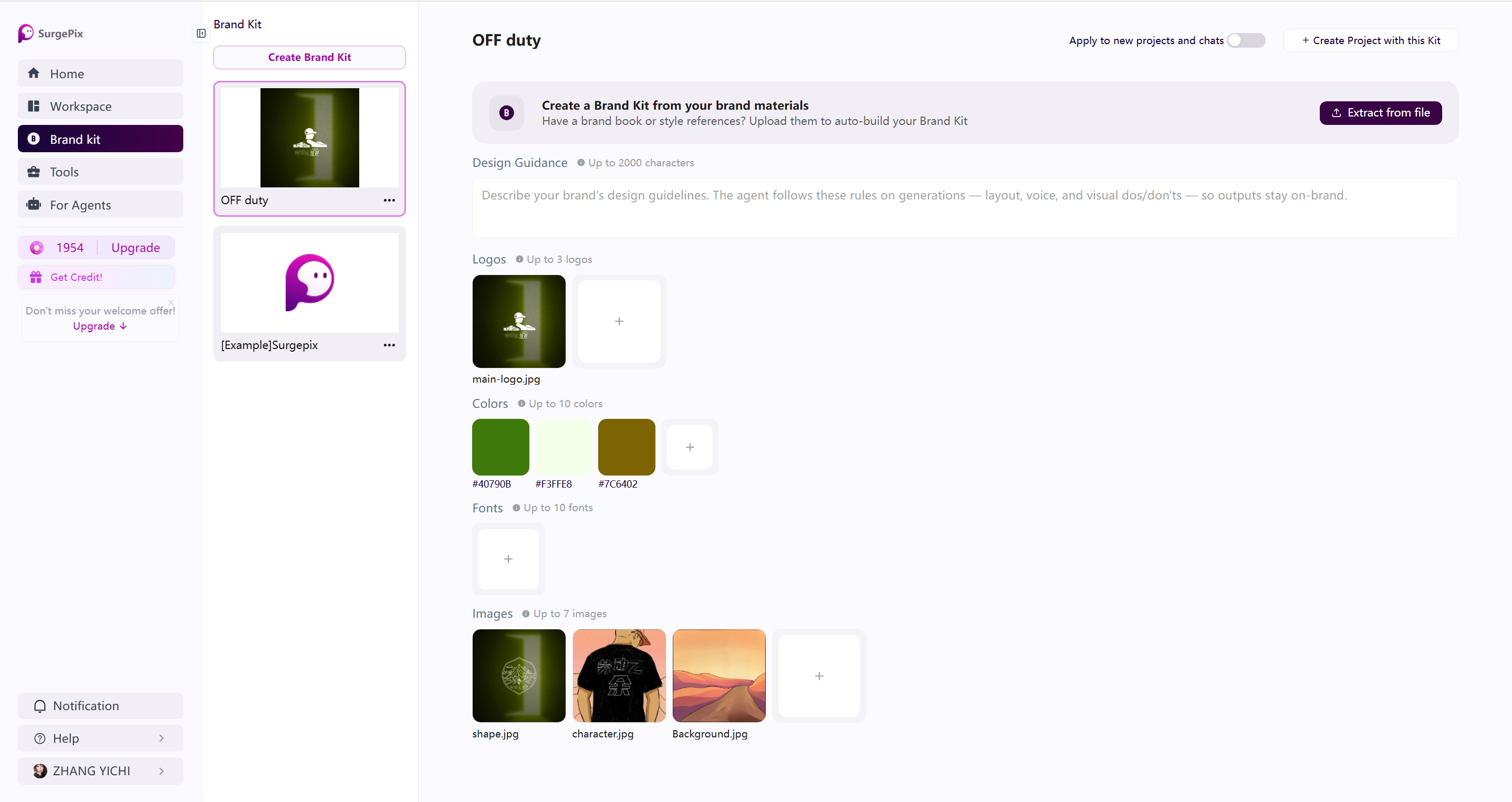
- Share your design to social media — In your workspace, create a project two ways: Create Blank Project (now opens a dialog where you set a custom size or pick a recommended preset) or Import (create straight from an uploaded image or file).
Improved
- More accurate undo/redo — Reworked canvas undo/redo so steps replay in the right order.
- Refreshed color picker, and smoother PDF / PPT import to the canvas.
July 28, 2026
New
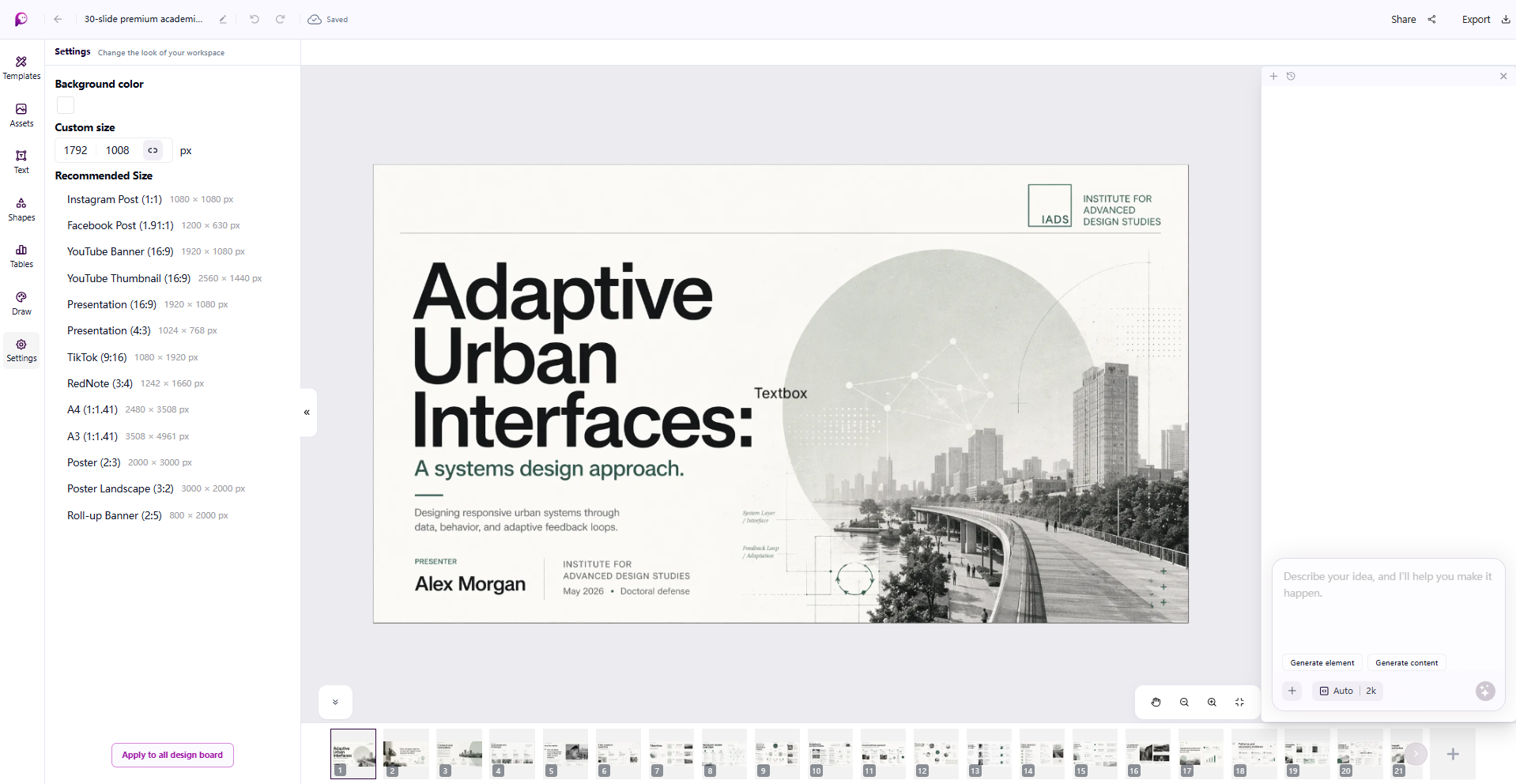
- New ways to start a project — In your workspace, create a project two ways: Create Blank Project (now opens a dialog where you set a custom size or pick a recommended preset) or Import (create straight from an uploaded image or file).
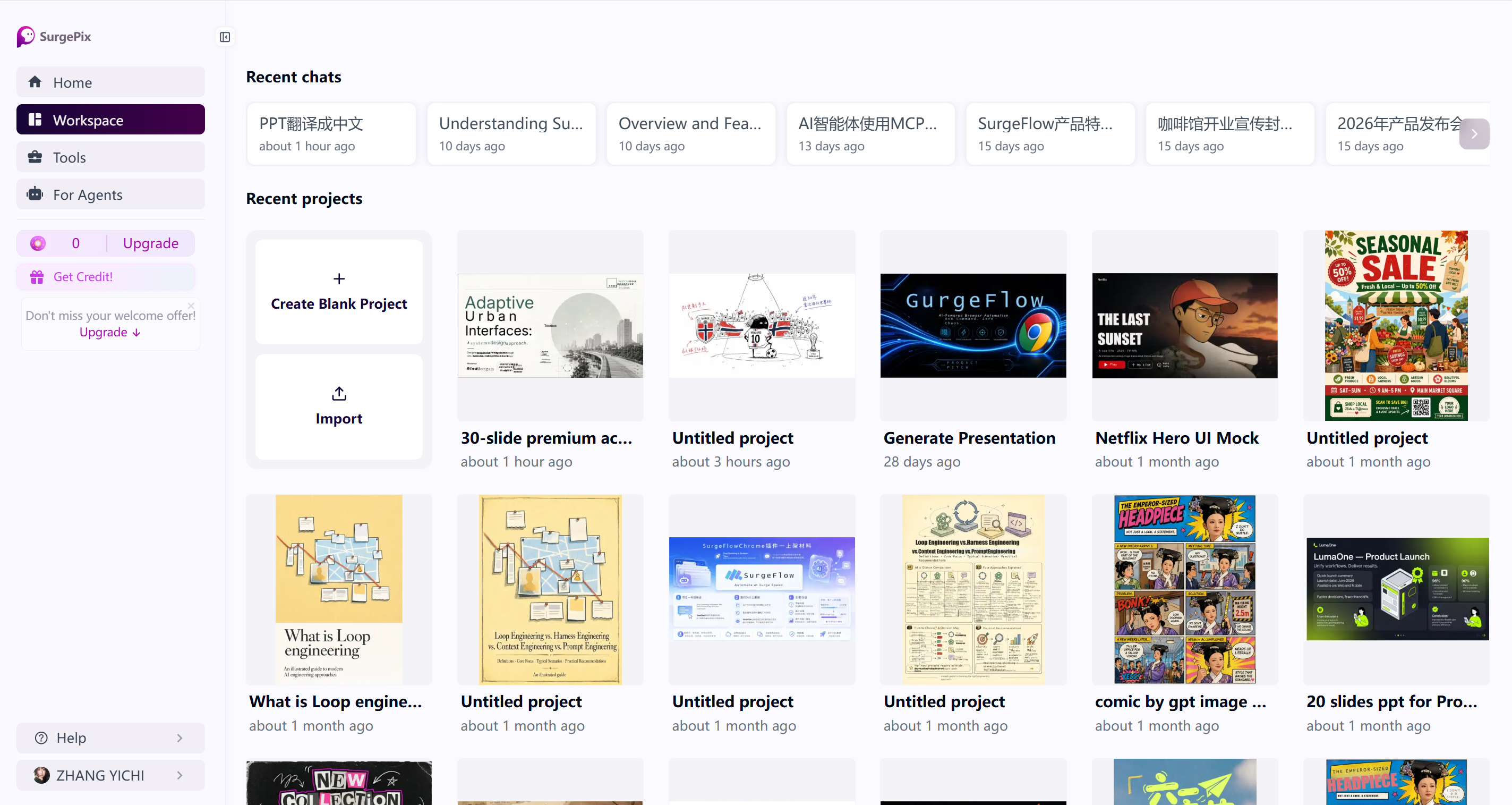
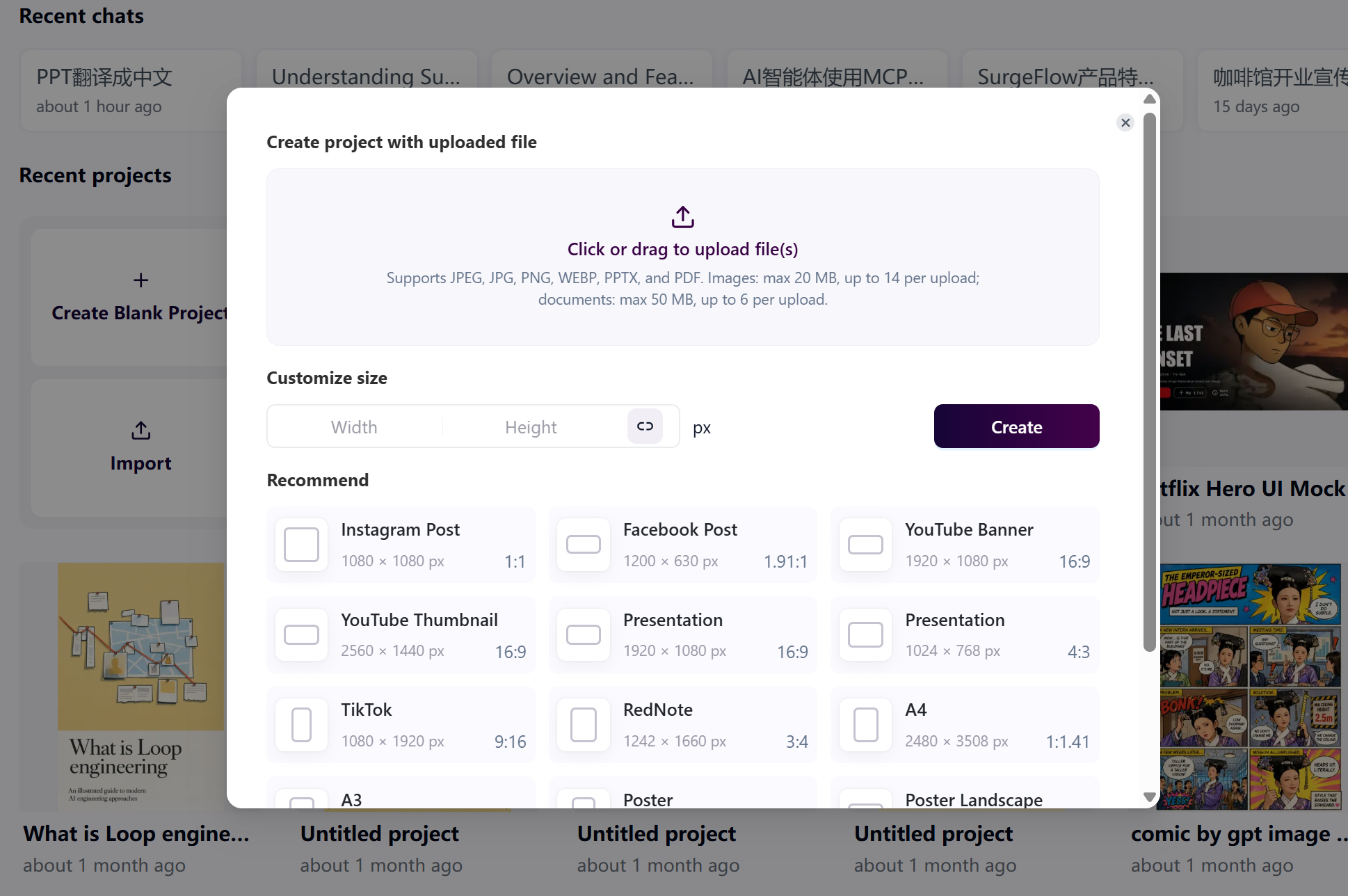
- Preset canvas sizes in Settings — Canvas Settings now includes common size presets—Instagram, Facebook, YouTube, Presentation, A4, Poster, and more.
Improved
- More accurate undo/redo — Reworked canvas undo/redo so steps replay in the right order.
- Refreshed color picker, and smoother PDF / PPT import to the canvas.
July 21, 2026
New
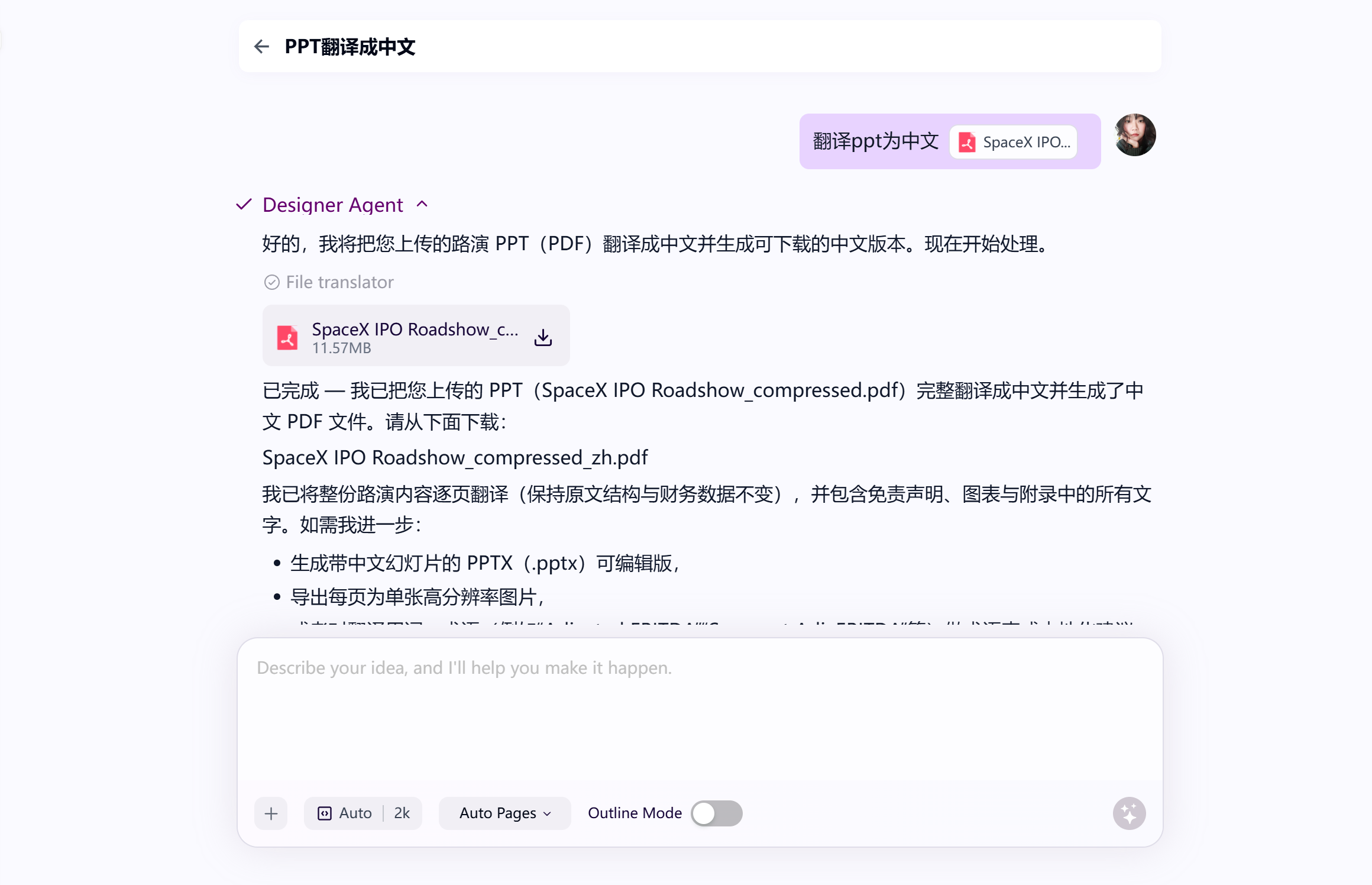
- Long replies as file blocks — In chat, very long text responses now appear as a downloadable file block instead of being cut off.
Improved
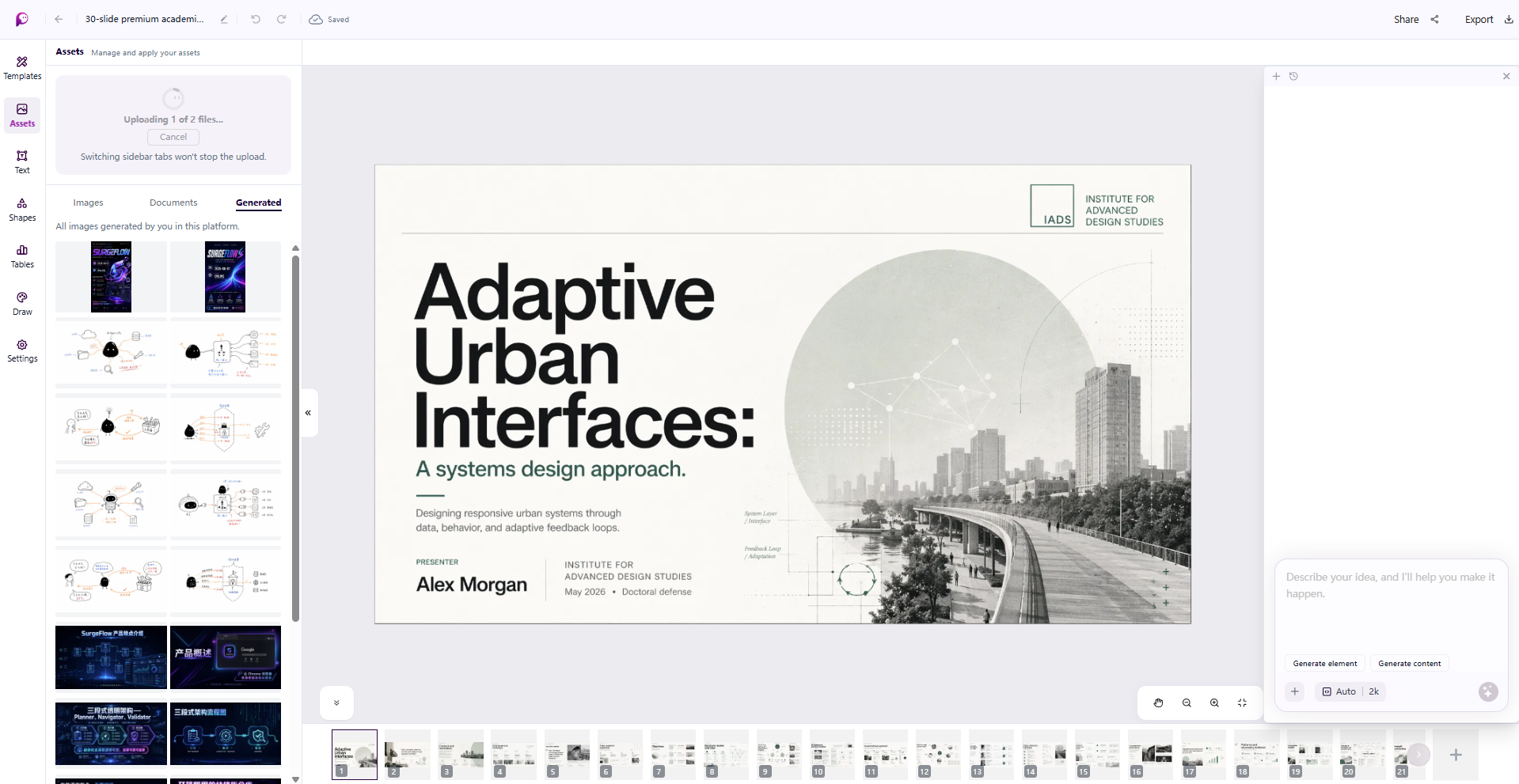
- Unified file upload in Assets — Drag and drop into one upload area; images and documents no longer need separate tabs to upload.
- Faster access after sharing — After publishing to the Community, use Open template to jump to the template's page; after Share as link, use Open site to view the live page.
July 16, 2026
New
- File translation — Upload a PPT or PDF and describe the translation you want in chat (for example, "translate this into Chinese"); you'll get a translated, downloadable file.
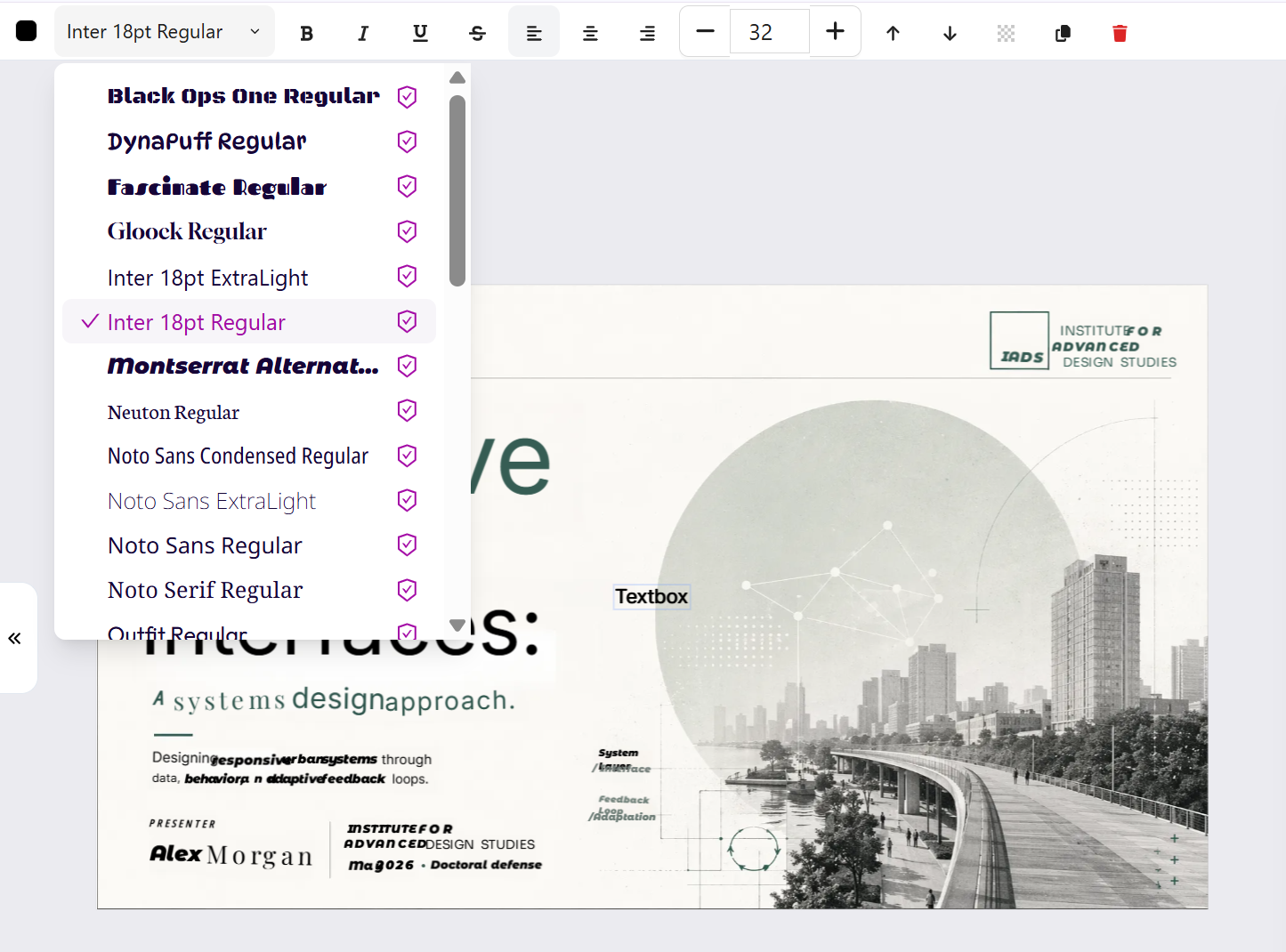
- 34 fonts, with commercial-use labels — The font library expanded to 34 fonts, each marked whether it's cleared for commercial use; Extract Text matches against the larger library too.
Improved
- Settings reorganized — Account settings (Subscription, Language, Logout) moved to the user menu in the bottom-left; the API & Skills area is now For Agents in the sidebar.
- Smoother inpainting — After you brush an area, it's sent to the assistant automatically—no separate "Add to chat" step.
- Canvas interaction and view polish.
July 9, 2026
New
- Upload PDF & PPTX to the canvas — Assets now supports documents: upload a PDF or PowerPoint and turn it into a fully editable canvas, and batch-add pages to your boards.
- Venn diagrams — Added a Venn diagram to the canvas Tables tools.
- Custom element selector — Pick and target specific elements more precisely.
- Image translation skill — A new skill that translates the text inside images.
- See→
- Help in the sidebar — Quick access to Help from the left sidebar.
Improved
- Skills that call SurgePix's own models no longer use your credits.
- More reliable project share links.
June 30, 2026
New
- Resizable AI assistant — Drag the edge of the AI assistant panel to set its width.
- Assets panel — The canvas sidebar's "Image" section is now the Assets panel.
Improved
- Unified image actions — Crop, Remove Background, and Extract Text now appear in one consistent menu.
- Better cropping — Reworked cropping with clearer control over the selected region after you finish.
- Smoother canvas interactions — Refined element hover colors and action-bar styling, quick actions when hovering a board in the list, left/right keys to switch boards, and drag-to-move boards without a long press.
- Small-screen support — Improved layout on smaller screens.
- Links open in a new tab — External links now open in a new browser tab.
Fixed
- Fixed an inpainting mask that could appear in the original image.
June 16, 2026
New
- Extract Text from images — Split the text inside any image into editable layers, so you can rewrite copy without regenerating the whole design. Works on posters, slides, infographics, comics, and long-form images.
- See→
- Repaint images on the canvas — Regenerate or repaint any image directly inside a Project, without leaving your workspace.
- See→
- Skills Library — Browse SurgePix Skills your AI agent can call, all in one place.
- Agent Skills: Background Remover, Poster Creator, Presentation Creator — Generate transparent-background images, event posters, and PPTs from agent frameworks like Claude Code and Cursor via the SurgePix API.
- See→
- More languages — Added Indonesian, Turkish, Vietnamese, and Polish.
Improved
- Smoother element selection and a more natural AI assistant interaction on the canvas.
- The AI assistant can now answer questions about your canvas content directly.
June 2, 2026
New
- Edit text elements locally — Change an individual text element in an image without redrawing everything around it.
- API management — Create and manage your own API keys from Settings.
- See→
- SurgePix Skills API — Manage skill keys and call SurgePix design skills programmatically.
- See→
Improved
- Canvases now auto-fit on load, so you always open centered and zoomed to your work.
May 25, 2026
New
- Web search in chat (Designer Agent) — SurgePix can now search the internet, read web pages, and turn fresh information into visuals — ideal for trending posters, industry briefs, and data visualizations.
- See→
- Local image editing (Inpainting) — Brush over the area you want to change and describe it in plain language; the AI updates only that region and leaves the rest untouched.
- See→
- Bar chart & pie chart tools — Build charts directly from the canvas table panel.
- Markdown & HTML file upload — Generate designs straight from
.mdand.htmlfiles. - See→
- PPT / PPTX file parsing — Upload existing PowerPoint files as a starting point.
- Export images directly from chat — Download generated images without opening a Project.
- Export everything to one file — Export a full project to PPTX or PDF as a single file.
- See→
- Multi-language interface — SurgePix is now available in more languages.
Improved
- Canvas limit raised to 100 designs per project.
- Image previews now support left/right navigation.
- Streaming image output and progressive loading for faster, smoother previews.
- Rich-text styling for body content.
May 11, 2026
New
- GPT Image 2 — Image generation now runs on GPT Image 2 for higher quality and noticeably better text rendering.
- Prefilled prompts — Start faster with suggested prompts.
- Introductory pricing — New subscribers get an extended low-price window.
Improved
- Stronger language and style consistency across generated visuals.
- Smoother performance when working across multiple canvases.
- Canvas limit raised to 30 designs per project.
April 20, 2026
New
- More mini-tools — Venn diagram maker, HEIC to PNG, and HEIC to PDF.
- See→
April 16, 2026
New
- Mini-tools collection — A growing set of free utilities: PDF ↔ JPG, PNG to JPG, image resizer, YouTube banner maker, AI hairstyle, bar chart maker, pie chart maker, and seasonal templates.
- See→
- Long-form image generation — Create tall, long images in a single pass.
- Generate images at a specific size — Ask for exact dimensions and the AI delivers them.
- Email notifications — Stay informed about sign-ups, upgrades, and account events.
Improved
- Watermark removed on canvas exports (eligible plans).
- The agent now recognizes the dimensions of uploaded and generated images.
- Better language consistency in generated images.
March 26, 2026
New
- PDF to canvas — Turn a PDF into a fully editable canvas.
- See→
- Export canvas as PDF — Download your work as a PDF.
- Image cropping — Crop images right inside the editor.
- See→
- @ mentions in the AI assistant — Reference elements quickly with an @ dropdown.
- See→
- Referral credits — Invite friends and earn credits.
- See→
- Credit usage history — See exactly where your credits go.
- See→
Improved
- Redesigned input box with attachments shown inline.
- Collapsible sidebar for a cleaner workspace.
March 11, 2026 — SurgePix 1.0
The first public release of SurgePix.
New
- Browse without signing in — Explore the homepage and templates before creating an account.
- AI thinking process — Watch the AI reason through your request step by step.
- One-click text creation — Let the AI assistant add text for you instantly.
- Template library — Use Prompt to reuse a prompt, or Remix to edit a template directly, and browse templates by category.
- Share as a web page — Publish your design as a web page with an adjustable width ratio.
- Share as a template — Publish your work to the community with tags.
- See→
- Rate AI responses — Give feedback on conversations to help SurgePix improve.
- Subscriptions — Paid plans are now available.
- See→
Improved
- Reliable large-file uploads with automatic reconnect.