 SurgePix Docs
SurgePix vs Gamma (2026): The Editable AI PPT Alternative

Gamma is one of the fastest ways to turn a prompt into a deck. So why do people still search for a Gamma alternative?
Almost always for the same reason: the first draft is never the final draft. You get a good-looking deck in a minute — then you need to change the headline, fix one chart, swap an image, or tweak the wording on slide 3. That's where a lot of AI tools make you re-generate and hope.
SurgePix is built around that exact moment: generate a visual, then edit every layer — no re-rolling. Here's an honest head-to-head so you can pick the right one. (New to AI decks? Start with our complete guide to making a presentation with AI. Want the whole field, not just these two? See our comparison of the best AI PPT tools in 2026.)
TL;DR — which should you pick?
- Pick Gamma if you want the fastest possible first draft and mostly keep what it gives you.
- Pick SurgePix if you want to keep editing after generation — change text, inpaint one area, restyle a single element, and export a real, still-editable
.pptx— and make more than slides (images, carousels, posters) from one workspace.
If you've ever thought "this is 90% there, I just need to fix this one thing," SurgePix is the one built for that.
Side-by-side
|
|
Gamma |
SurgePix |
|---|---|---|
|
Speed to first draft |
⚡ Fastest in class |
Fast |
|
Edit model |
Blocks — learn its system; regular layouts |
✅ Layers — familiar; free overlap |
|
Edit every layer after generating |
Limited — often re-generate |
✅ Every layer (text, image, chart, layout) |
|
Brush-inpaint a region inside an image |
✖️ whole-image only |
✅ paint + describe |
|
Edit text baked into an image |
✖️ |
✅ |
|
Remove background / crop / @element |
✖️ |
✅ |
|
Design agent on the canvas |
✖️ |
✅ point-and-edit |
|
Real .pptx export (editability kept) |
Export available; check fidelity |
✅ PNG / SVG / PPTX |
|
Charts from your own data |
Preset styles (fixed) |
✅ Pick type + enter data, still editable |
|
More than slides (images, posters, carousels) |
Decks / docs / sites |
✅ multi-format visuals |
|
Brand kit remembered |
Yes (paid) |
✅ |
|
Callable from Claude Code / Cursor |
✖️ |
✅ as a skill |
|
Free tier |
400 one-time credits |
Free daily credits |
— Prices/features as of Oct 2026
Where Gamma genuinely wins
Credit where it's due — Gamma is excellent at speed. Type a prompt, get a full deck (or webpage or doc) in under a minute, with a polished default look. If your workflow is "generate a draft and present it mostly as-is," Gamma is hard to beat, and the free tier is a great way to try it (note the "Made with Gamma" watermark and one-time credits on free).
If that's all you need, use Gamma. The rest of this page is for everyone whose work starts after the first draft.
Where SurgePix pulls ahead
1. Edit every layer — don't re-roll
In SurgePix, a generated deck isn't a flat image. Every element — headline, body text, image, chart, background — stays a separate, editable layer. Change the one thing that's wrong and leave everything else untouched. No "regenerate and pray."
Layers vs blocks — why it matters. Gamma edits in blocks — a structured system you have to learn first, and one that keeps layouts fairly regular and grid-like. SurgePix uses the layer model designers already know, so there's nothing new to learn. And because layers can freely overlap, you can build richer, layered compositions — text over image over shape — that a tidy block grid can't easily produce.
2. A design agent that lives on your canvas
Instead of re-describing your whole deck in a chat box, summon a design agent right on the canvas: point at what you want changed and it edits just that piece. It can web-search and match your brand along the way.
You can also @mention any element anywhere in the project and have the assistant edit it — across the whole canvas, not one block at a time. Gamma's editing stays scoped to a single block; it can't reach across the canvas like this.
3. Inpaint, extract text, remove background — on the same canvas
Things a slides-only tool simply can't do: redraw just the area you select (inpaint), edit text that's baked into an image, crop, remove a background in one click, and @mention any element to reference or restyle it. Your deck and its visuals get finished in one place.
Brush-based inpainting. SurgePix lets you paint over just a part of an image and describe the change — say, recolor a person's shirt — without splitting the image apart first. Gamma can only swap or edit a whole image block; it has no way to repaint a region inside an image.(Full guide: how to edit part of an AI image.)
4. A real .pptx — still editable
Export to PNG, SVG, or PPTX. The point isn't just "it exports" — it's that your slides come out editable in PowerPoint, not flattened into pictures. (When comparing any AI tool, always test this: some export decks as images.) See the full flow in our walkthrough of how to generate, edit, export and share a slide deck.
5. More than slides
Same workspace, same brand kit: generate social carousels, posters, and images alongside your decks. One tool instead of three.
6. Charts from your own data — still editable
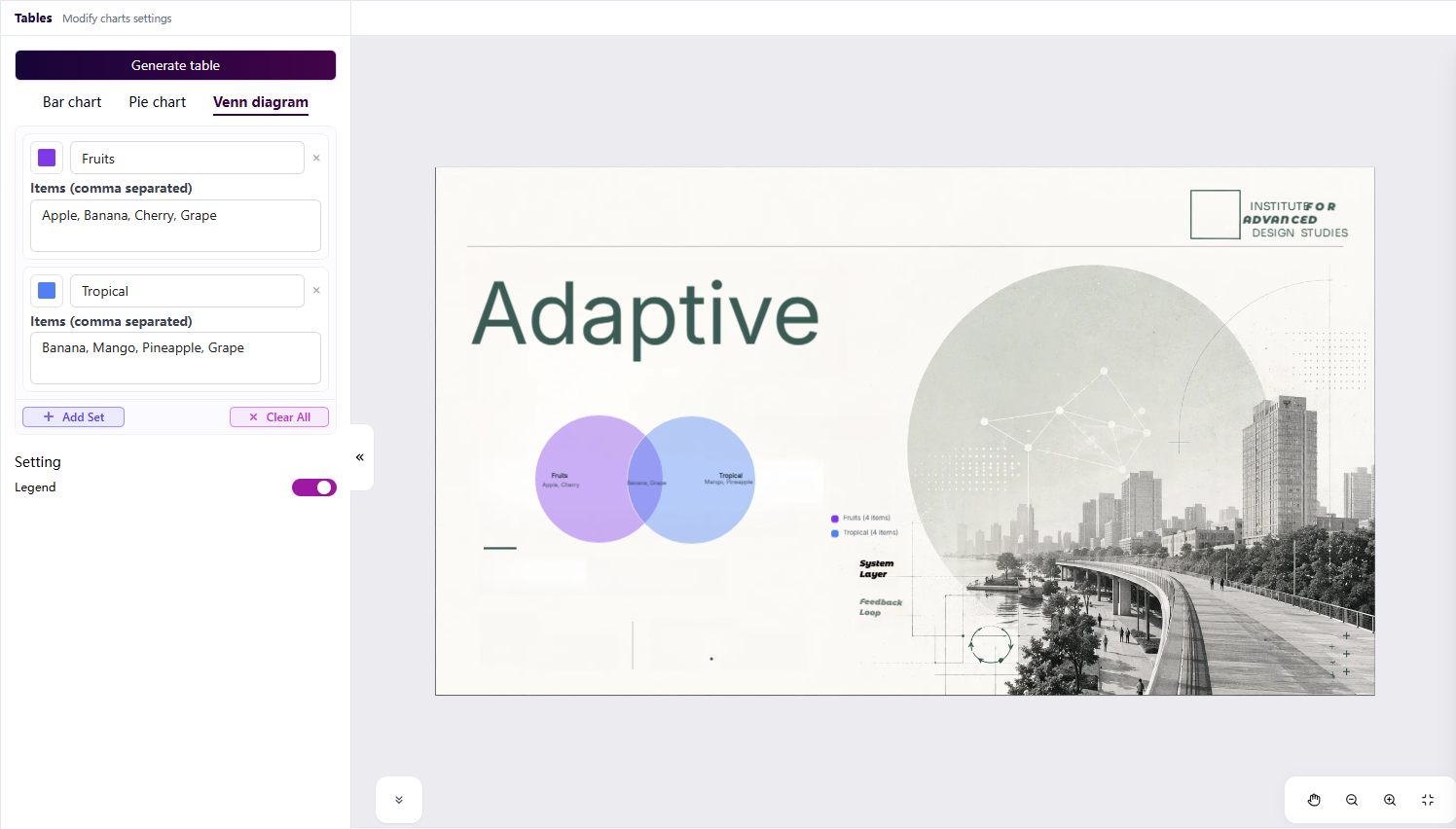
Gamma gives you preset chart styles — plenty of them, but fixed. SurgePix lets you pick the chart type, enter your own data, and generate a chart that stays fully editable afterward, just like every other layer. Your numbers, your chart type, still changeable later — not a locked template.
Pricing: Gamma vs SurgePix
|
|
Gamma |
SurgePix |
|---|---|---|
|
Free |
400 one-time credits (watermark) |
Free daily credits |
|
Entry paid |
Plus ~$8/mo |
Basic $9.9/mo (2,000 credits/mo → ~130+ images) |
|
Higher tier |
Pro ~$15/mo |
Pro $24.9/mo (11,500 credits/mo → ~750 images) |
— Prices/features as of Oct 2026
New users get a welcome offer from SurgePix: your first 3 months of Basic for $0.99/mo.
Here's the part that matters: the welcome offer isn't a stripped trial — it's the real plan at a near-free price for 3 months. You pay $0.99/mo for the full $9.9 Basic plan (2,000 credits/mo, ~130+ images), or $4.99/mo for the full $24.9 Pro plan (11,500 credits/mo, ~750 images). Same features as paid, just 3 months at welcome pricing.
And right now SurgePix is launching on Product Hunt — check the launch for a hunters-only deal.
When it's time to switch from Gamma
Switch when your bottleneck moves from making a draft to finishing it:
- You keep re-generating to fix one small thing.
- You need to edit text or objects inside an image, not just on a slide.
- You want a
.pptxyou can actually edit afterward. - You make images and social visuals too, not only decks.
- You want AI design callable from Claude Code or Cursor.
→ Try SurgePix free — generate a deck, then edit every layer.
FAQ
Is SurgePix a good Gamma alternative?
Yes, if your priority is editing after generation and multi-format output. Gamma is still great for the fastest first draft.
What can SurgePix do that Gamma can't?
Work in familiar layers instead of Gamma's block system (and freely overlap them for richer compositions), brush-inpaint a region inside an image — e.g. recolor a shirt — without splitting it apart, @mention and edit any element across the whole project, insert editable charts from your own data, edit text baked into images, remove backgrounds, summon a design agent on the canvas, and export an editable .pptx — plus make images/posters/carousels, not just slides.
Does SurgePix export to PowerPoint (.pptx)?
Yes — PNG, SVG, and PPTX, with editability preserved.
Is there a free way to try SurgePix?
Yes, free daily credits, and new users get $0.99/mo Basic for the first 3 months.
Is SurgePix faster than Gamma?
Gamma is the speed leader for a raw first draft; SurgePix is fast and wins once you factor in editing instead of regenerating.