 SurgePix Docs
AI Real-time Web Search
Traditional AI can only generate from its training data, and that comes with an obvious limit: the model has a knowledge cutoff, so current events, the latest figures, and just-released products are all unknown to it.
Designer Agent closes that gap. It adds real-time search to the image-generation flow: search the web → read the page → generate the image. In effect, your AI designer now comes with a search engine built in.
How it works
When your design needs up-to-date information, Designer Agent runs three steps:
- Web Search — searches the internet in real time, just like you would on Google, to find the latest sources.
- Fetch Web Page — opens the actual pages and reads the full content, not just titles and snippets.
- Image Generator — turns the organized data into a visual: infographic, chart, poster, or timeline.
What you can do with it
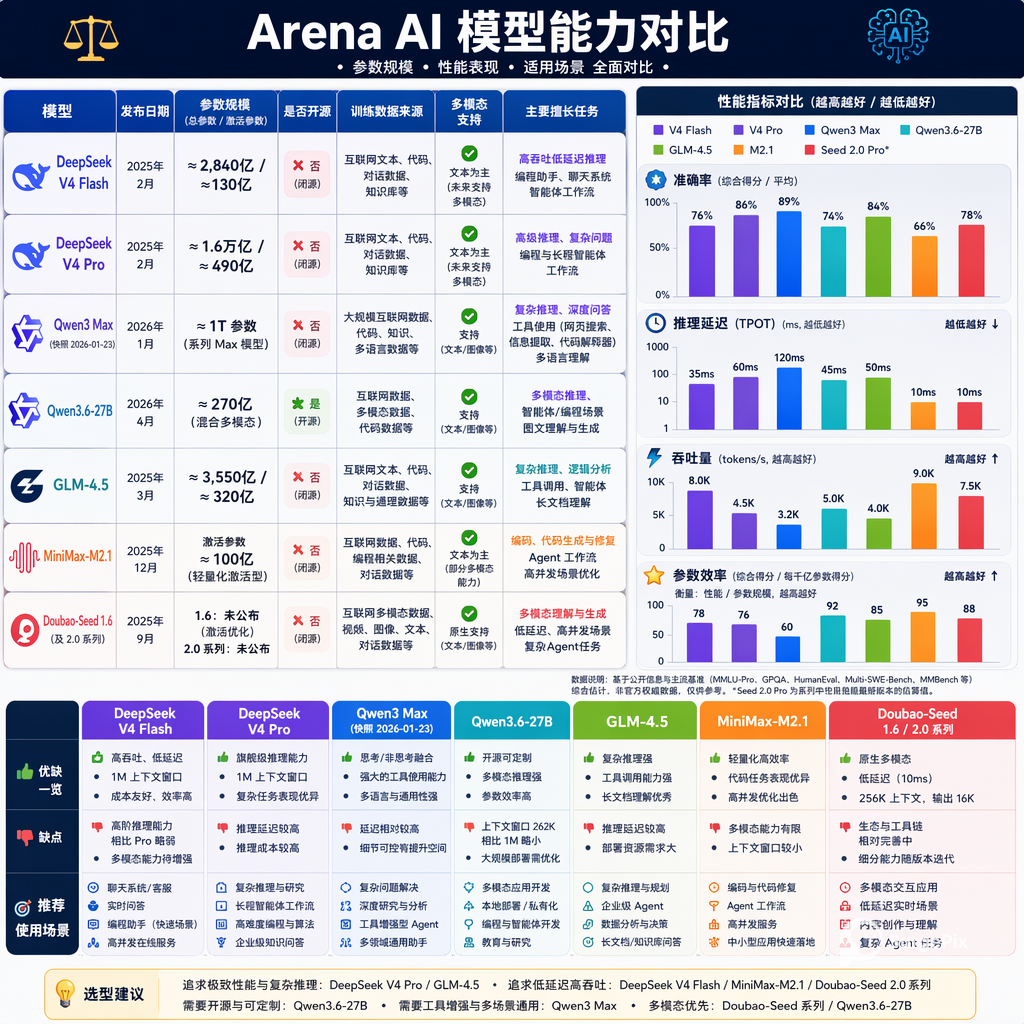
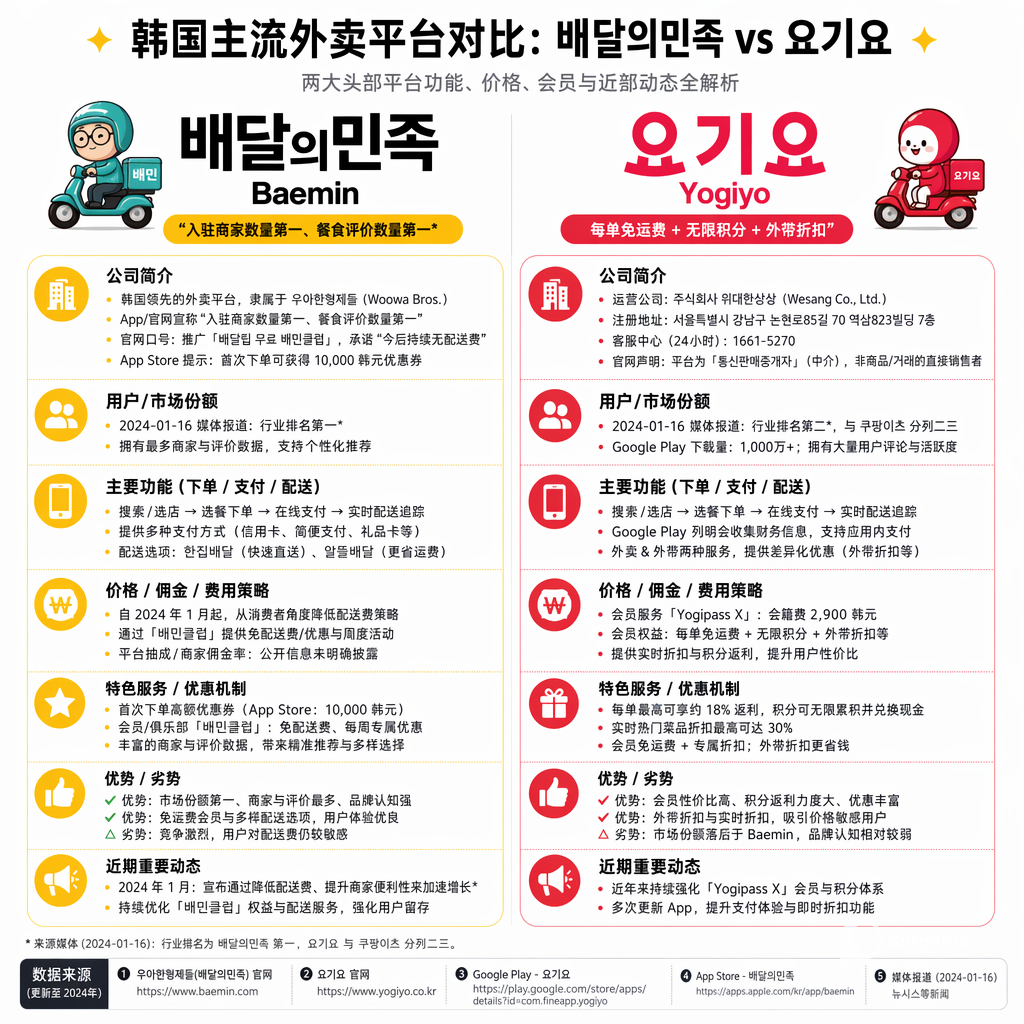
Real-time trend tracking Pull trending topics from X (Twitter), Weibo, or Reddit, extract the core themes and sentiment, and generate a trend poster, meme, or themed illustration in one go.
"Search today's trending tech topics on X and generate an infographic summary."
Industry briefs Search the latest funding rounds and industry data, then auto-organize it into rankings, timelines, or bar charts for a one-page brief.
"Search the latest global AI model funding rounds in 2026, pull the amount, company, and date, and generate a timeline infographic in a tech-blue style."
Competitor analysis & data comparison Search product specs, pricing, and features, grab brand logos from official sites, and generate a competitor comparison or feature radar chart.
"Find the features and user reviews of Figma, Sketch, and Jishi Design, and generate a competitor radar chart."
Faster social media production Turn a trending event into a finished visual so your team can keep pace with the conversation.
"Search this week's hottest tech product launch and generate a lively, playful image-text poster for Xiaohongshu, with product highlights and an eye-catching headline."