 SurgePix Docs
Create with Chat
Add Attachments
Supported formats
- Images — up to 14, JPEG / JPG / PNG / WEBP, under 20 MB each.
- Files — up to 6, DOC / DOCX / PDF / TXT / MD / HTML, under 50 MB each.
How to use
- In the chat input box, add your attachment(s).
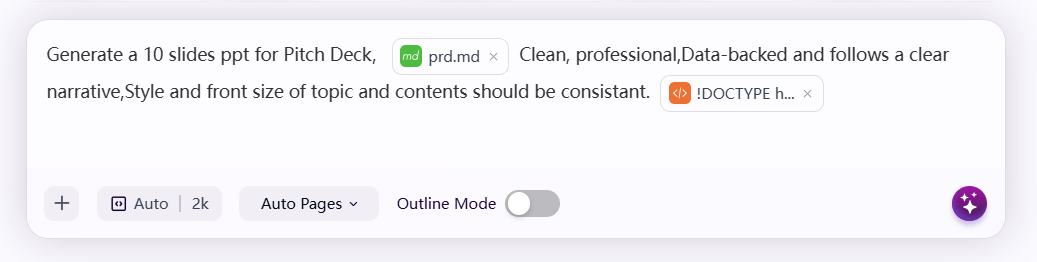
- Write your prompt. You can insert an attachment at any position within the text—for example, drop an uploaded image right where you describe how it should be used ("Generate a 10-slide pitch deck using [brand.png] for the cover").
- Send. SurgePix treats the attachments as context for the result.